Vifm Fuzzy Find in tmux Popup Window with fzf and fd
Terminal tools
A few years ago I began to rely heavily on Vim and now I can’t think of ever going back to working with code/text files in permanent “Insert” mode (want to learn some Vim?).
After switching to Vim/Neovim, I started to spend more time in the terminal and eventually settled on this set of awesome console tools: tmux (sessions, windows, panes), fzf (fuzzy search), ripgrep (better grep), fd (better find), bat (better cat) and Vifm (file manager).
Out of these, Vifm is the most niche but if you enjoy Vim motions and like the classic left-right file manager layout, you should give it a try! The amount of features and depth of documentation are nothing short of amazing!
In this post, I’ll show a recipe for combining Vifm, tmux, fzf and fd for very quick and convenient fuzzy file search inside a terminal popup window.
Popup in terminal
Version 3.2 of tmux introduced display-popup command, it lets you show a floating and resizable window on top of the current tmux window.
Here’s how you could show a list of files in current directory:
display-popup -E 'ping en.morzel.net'
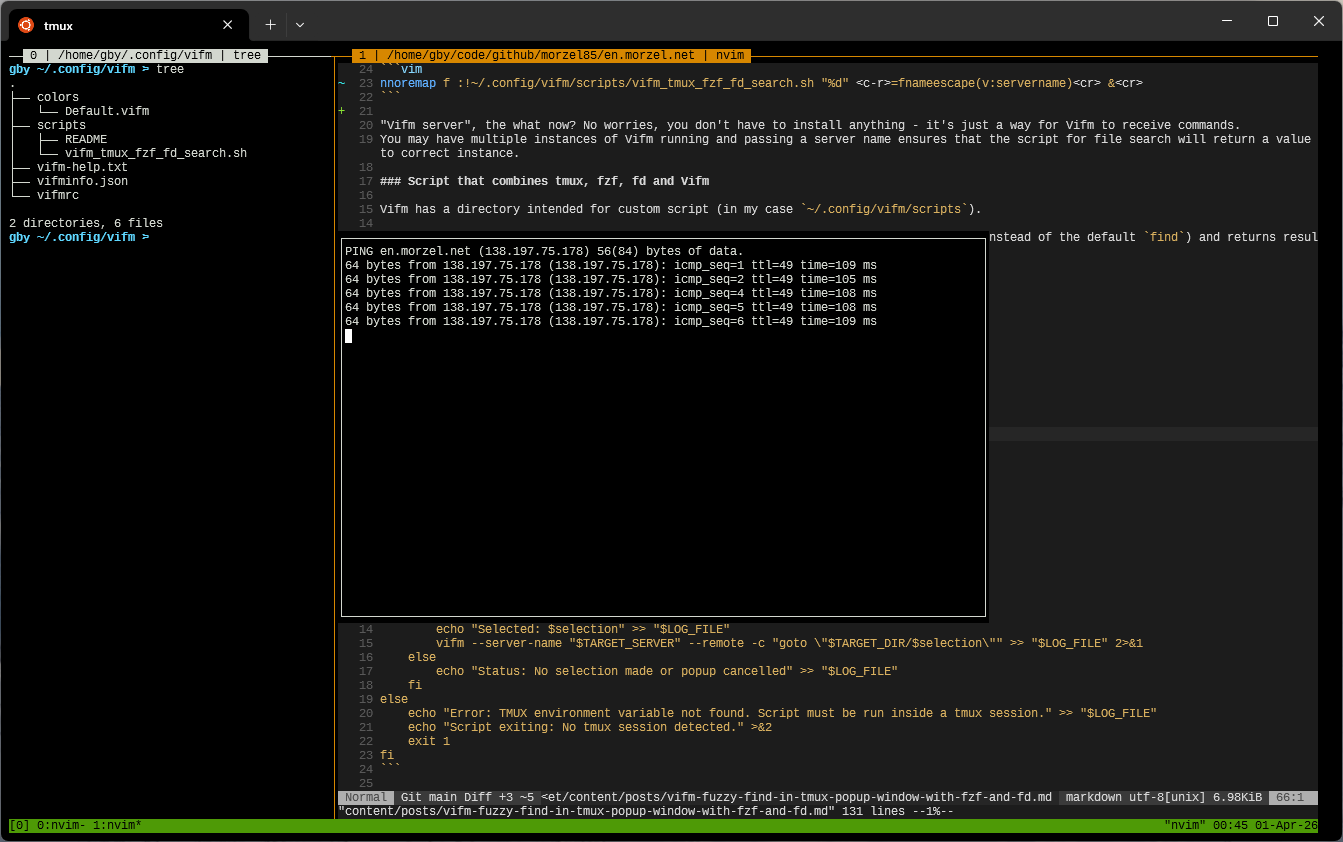
Ctrl+b but I prefer Ctrl+Space) and then type the command (you will notice : added when you switch to command mode).
You can also achieve the same effect by running command tmux display-popup -E 'ping en.morzel.net' in shell.Using tmux popup in Vifm for fuzzy file search
Nothing beats the convenience of fuzzy find. Wouldn’t it be nice if you could use fzf to look for files within Vifm with the nice UX of modern TUI?
Keybind to invoke Vifm script
Vifm has a scripts directory intended for custom scripts, located in the same folder as the vifmrc configuration file (usually ~/.vifm/ or ~/.config/vifm).
This keybind executes a script from within Vifm, passing the current directory and server name:
nnoremap f :!~/.vifm/scripts/vifm_tmux_fzf_fd_search.sh "%d" <c-r>=fnameescape(v:servername)<cr> &<cr>
“Vifm server”, the what now? No worries, you don’t have to install anything - it’s just a way for Vifm to receive commands. You may have multiple instances of Vifm running and passing a server name ensures that the script for file search will return a value to the correct instance.
Script that combines tmux, fzf, fd and Vifm
The script below uses tmux display-popup, runs fzf on top of the fd command output (instead of the default find) and returns the result back to Vifm:
#!/usr/bin/zsh

readonly LOG_FILE="/tmp/vifm_tmux_fzf_fd_search.log"

{
  echo "--- Script started at $(date) ---"
  echo "Raw Arg 1 (Dir): ${1:-[MISSING]}"
  echo "Raw Arg 2 (Server): ${2:-[MISSING]}"
} > "$LOG_FILE"

TARGET_DIR="${1:?Error: Target directory (arg 1) is missing}"
TARGET_SERVER="${2:?Error: Vifm server name (arg 2) is missing}"

tmpfile=$(mktemp)
trap 'rm -f "$tmpfile"' EXIT

if [[ -n "${TMUX:-}" ]]; then
    echo "Environment: tmux popup" >> "$LOG_FILE"

    tmux display-popup -E -w 80% -h 80% -d "$TARGET_DIR" \
        "fd --type f --type d --hidden --exclude .git | fzf > $tmpfile"

    if [[ -s "$tmpfile" ]]; then
        selection=$(<"$tmpfile")
        echo "Selected: $selection" >> "$LOG_FILE"
        vifm --server-name "$TARGET_SERVER" --remote -c "goto \"$TARGET_DIR/$selection\"" >> "$LOG_FILE" 2>&1
    else
        echo "Status: No selection made or popup cancelled" >> "$LOG_FILE"
    fi
else
    echo "Error: TMUX environment variable not found. Script must be run inside a tmux session." >> "$LOG_FILE"
    echo "Script exiting: No tmux session detected." >&2
    exit 1
fi
Result
With the keybind and script, pressing the f key will give you such a nice popup window to pick a file or directory:
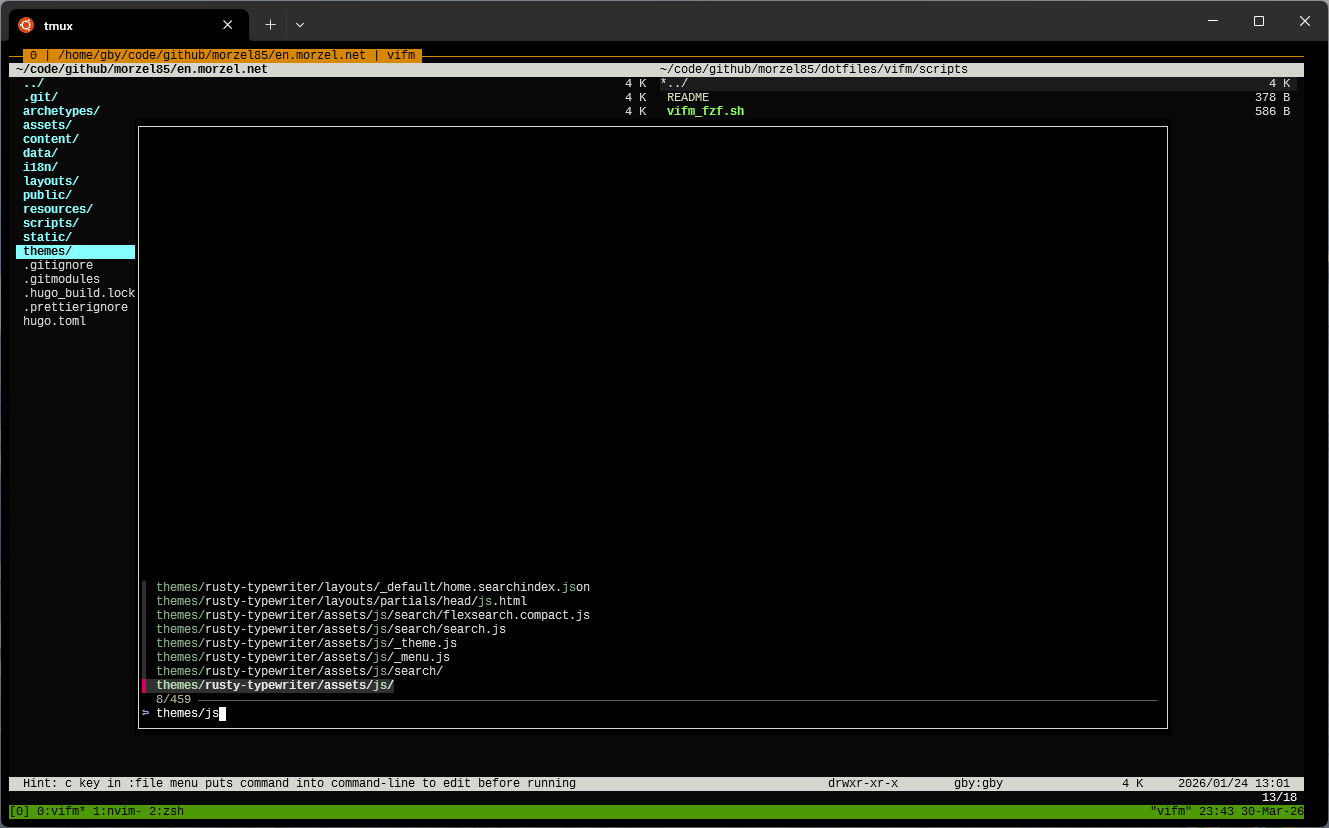
How does it work?
The keymap invokes a script passing the current location and name of Vifm server (thanks to xaizek for help with that).
vifm --server-list command in your shell or you can run echo v:servername command in Vifm to get current server name.The Zsh script does these simple steps:
- Take arguments passed from Vifm (command run from keybind)
- Make a temporary file (it will be used to pass fzf choice back to Vifm).
- First
ifchecks if Vifm works inside tmux - Invoke tmux
display-popupcommand to show results of running fzf on top of fd file/directory search result. Thefdcommand is configured in such a way that hidden files (e.g. configs starting with dot) are included but.gitdirectory is skipped (fd automatically skips files from.gitignore) - Second
ifblock verifies if the file with choice from fzf was created and if so sends the choice back to the correct instance of Vifm thanks to--server-nameand--remotearguments passed tovifm.
The ultimate result is that Vifm navigates to the item chosen in fzf and has it as active so you can invoke actions on it.
Logging
As you see, I didn’t put comments in the script, I usually prefer to add logging instead. Reading messages passed to echo is just as helpful as reading comments and if something goes wrong you will have a way to troubleshoot it.
Here’s a sample /tmp/vifm_tmux_fzf_fd_search.log content for script execution that happened outside of tmux:
--- Script started at Mon Mar 30 22:33:21 CEST 2026 ---
Raw Arg 1 (Dir): /home/gby
Raw Arg 2 (Server): vifm2
Error: TMUX environment variable not found. Script must be run inside a tmux session.
Possible enhancements
- You might want to invoke the
cdcommand if the selected item is a directory to have it automatically opened (I prefer to just have it highlighted). - You could have a separate binding for searching folders and files.
- Script could attempt to run fzf without popup if tmux is not detected, or you can have a separate binding that does a plain fzf run without tmux or external script.
Summary
We’ve learned how to use tmux popup windows, how to add key bindings in Vifm and how to invoke scripts that pass data back to the correct instance of Vifm. Not bad, this will come in handy.